Tabify, a Browser Extension for Tab Management
TL;DR - Tabify is a browser extension that helps you organize tabs into workspaces and save sessions. In Tabify, you group tabs into workspaces, use keyboard shortcuts to navigate, and backup sessions to Google Drive.
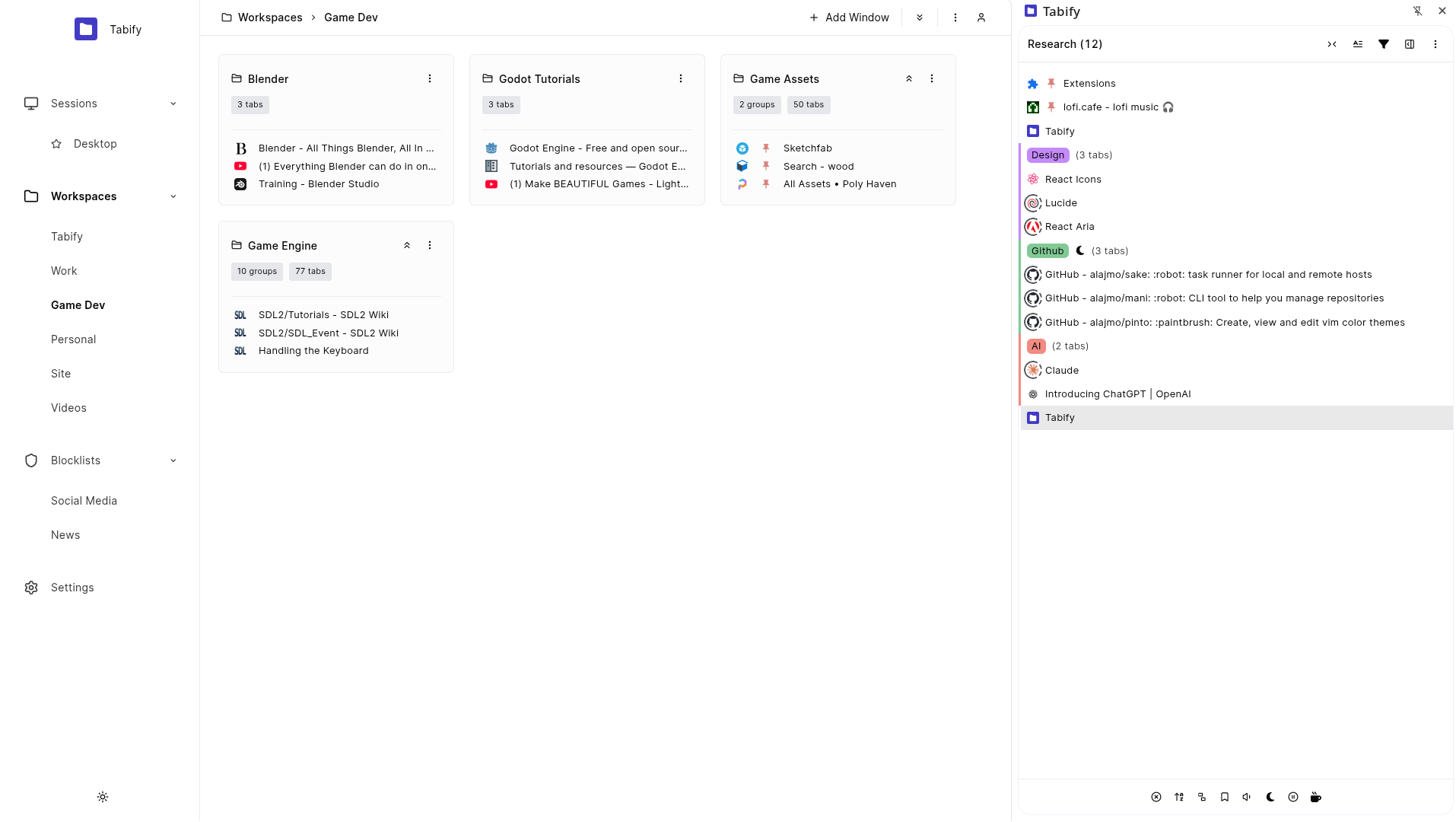
Tabify came about because I needed a way to manage browser tabs the same way I manage repositories with mani — group them logically, switch contexts quickly, and persist state across sessions.
# Usage
You can install Tabify from the Chrome Web Store (also works on Brave and Edge).
Once installed, you get a side panel for managing tabs. You can drag and drop tabs between windows, put unused tabs to sleep to free up memory, and auto-sort tabs by domain.
# Workspaces
The core concept is workspaces — named containers for your browsing sessions. Each workspace can have multiple windows, and you can open all windows at once or just the ones you need.
# Keyboard Shortcuts
There are 60+ keyboard shortcuts for managing tabs and windows: navigate between tabs, move tabs between windows, create/close workspaces, and switch between them.
# Command Palette
A command palette (similar to VS Code's Cmd+Shift+P) lets you search and run any action. Type "work" to switch to your work workspace.
# Session Backup
Tabs are automatically saved, so crashes and restarts don't wipe your session. You can also backup to Google Drive and restore on a new device.
# Conclusion
If you want something more structured than Chrome's built-in tab groups, give Tabify a try.
# Alternatives
- OneTab — converts tabs to a list
- Workona — workspace-based tab management
- Session Buddy — session management and recovery